google-site-verification=JDiMuy7HK-F4Y4EUBjZ-wFwzCv6APaX2VetEp73IITw

Author name: Sumana

Image related to What is Keyword Research?
Blog

What is Keyword Research : A Detailed Guide

Introduction Keyword research is the foundation of search engine optimization (SEO) and content marketing. It involves identifying the words and phrases that people use in search engines to find information, products, or services. By understanding and targeting the right keywords, businesses and content creators can increase website traffic, improve search rankings, and enhance online visibility. In this detailed guide, we will explore the concept of keyword research, its importance, tools, methods, and best practices to optimize your SEO strategy. What is Keyword Research? Keyword research is the process of discovering and analyzing search terms that users enter into search engines like Google, Bing, and Yahoo. The goal is to use these insights to create content that aligns with user intent and ranks higher in search results. Effective keyword research helps businesses understand their audience’s needs and create relevant content that answers their queries. Why is Keyword Research Important? 1. Enhances SEO Strategy Keyword research helps identify high-traffic and low-competition keywords, allowing you to optimize your content for search engines. This improves your chances of ranking higher in search engine results pages (SERPs). 2. Increases Website Traffic By targeting the right keywords, you attract users actively searching for information, products, or services related to your niche. This results in more organic traffic to your website. 3. Understands User Intent Keywords reveal what your audience is looking for. Understanding user intent enables you to create content that meets their needs, increasing engagement and conversions. 4. Competitive Advantage Analyzing your competitors’ keywords helps you discover opportunities to outperform them by creating better content and targeting underserved search queries. Types of Keywords 1. Short-Tail Keywords These are broad and generic keywords, usually consisting of one or two words, such as “shoes” or “digital marketing.” They have high search volume but are highly competitive. 2. Long-Tail Keywords Long-tail keywords are more specific and usually consist of three or more words, such as “best running shoes for beginners” or “affordable digital marketing services.” They have lower search volume but higher conversion rates and less competition. 3. LSI (Latent Semantic Indexing) Keywords LSI keywords are related terms that help search engines understand the context of your content. For example, for the keyword “Apple,” related LSI keywords could be “iPhone,” “MacBook,” or “fruit.” 4. Branded Keywords These keywords include a brand name, such as “Nike running shoes” or “Amazon best deals.” They are useful for businesses looking to strengthen brand recognition. 5. Geo-Targeted Keywords These keywords are location-specific and help local businesses attract nearby customers. Examples include “digital marketing freelancer in Bangalore” or “best uPVC windows in Delhi.” How to Conduct Keyword Research Step 1: Identify Your Niche Before searching for keywords, define your niche and target audience. Understand their interests, problems, and search behaviors to find relevant keywords. Step 2: Brainstorm Seed Keywords Seed keywords are the basic terms related to your niche. Think of broad terms that define your business, such as “SEO,” “email marketing,” or “graphic design.” Step 3: Use Keyword Research Tools Several tools can help find keyword ideas, search volume, competition, and trends: Step 4: Analyze Search Intent Search intent is the reason behind a search query. There are four main types: Step 5: Check Keyword Metrics Evaluate keywords based on: Step 6: Find Long-Tail Keywords Use tools like AnswerThePublic, Google’s “People Also Ask” section, and Quora to discover long-tail keywords that align with user queries. Step 7: Analyze Competitor Keywords Check which keywords competitors are ranking for using tools like Ahrefs, SEMrush, or Moz. Identify gaps and target keywords they are missing. Best Practices for Keyword Optimization 1. Use Keywords Naturally Avoid keyword stuffing. Integrate keywords naturally in the title, headings, and content. 2. Optimize for Featured Snippets Structure your content to answer questions directly to increase chances of appearing in featured snippets. 3. Use Keywords in Meta Tags Include primary keywords in title tags, meta descriptions, and URL slugs. 4. Leverage Semantic Keywords Use synonyms and related terms to provide comprehensive content. 5. Monitor and Update Keywords SEO trends change. Regularly update your keywords based on new trends and search behavior. Conclusion Keyword Research is a crucial aspect of SEO and content marketing. By finding and targeting the right keywords, you can attract more visitors, improve search rankings, and boost conversions. Using the right tools, understanding user intent, and optimizing content effectively will help you stay ahead of the competition. Start implementing these strategies today and watch your website’s visibility grow!

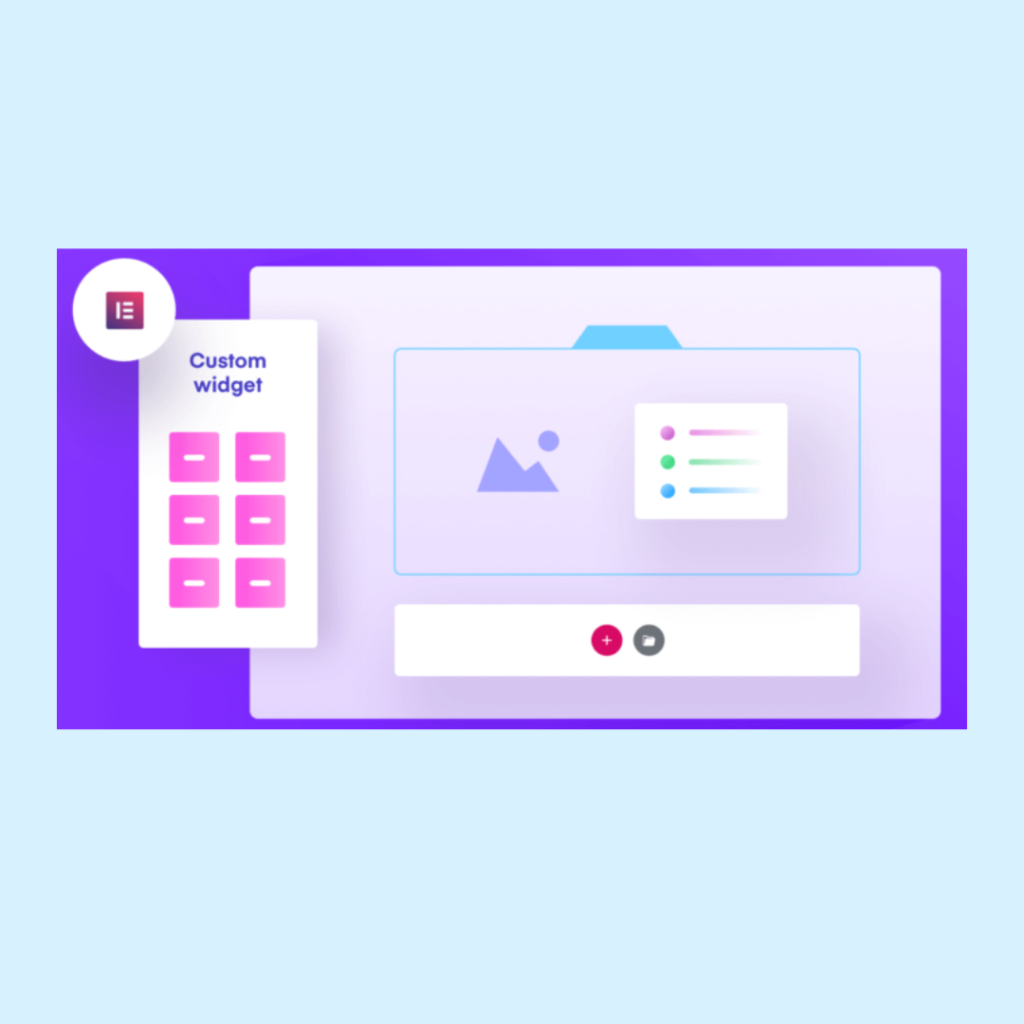
Image on Digital Marketing Tool
Blog

Top 20 Digital Marketing Tools

In the ever-evolving world of digital marketing, leveraging the right tools can make all the difference. Whether you are a freelancer, small business owner, or a digital marketing professional, using the right set of tools can save time, increase efficiency, and maximize results. Here are the top 20 digital marketing tools you should consider incorporating into your strategy. 1. Google Analytics Google Analytics is a must-have tool for tracking website traffic, user behavior, and campaign effectiveness. It provides valuable insights that help optimize marketing strategies and improve user experience. 2. Google Ads For businesses looking to generate paid traffic, Google Ads offers a robust platform to create search, display, and video ad campaigns that can drive targeted traffic to websites. 3. SEMrush SEMrush is an all-in-one SEO tool that helps with keyword research, competitor analysis, backlink audits, and more. It’s essential for businesses aiming to improve their search engine rankings. 4. Ahrefs Ahrefs is another powerful SEO tool widely used for link building, keyword research, and competitor analysis. It provides deep insights into organic search traffic and backlink profiles. 5. Moz Moz offers various SEO tools, including keyword research, site audits, and rank tracking, to help businesses improve their online visibility. 6. HubSpot HubSpot is a comprehensive inbound marketing platform that provides tools for email marketing, CRM, social media, and content management. 7. Mailchimp Mailchimp is a popular email marketing tool that allows businesses to create automated email campaigns, manage subscribers, and analyze performance metrics. 8. Constant Contact Constant Contact is another email marketing tool that offers user-friendly templates, automation, and contact segmentation features to improve engagement rates. 9. Canva For graphic design needs, Canva is a go-to tool that allows marketers to create stunning visuals, social media posts, and marketing materials without needing advanced design skills. 10. Adobe Creative Cloud Adobe Creative Cloud, including Photoshop, Illustrator, and Premiere Pro, provides professional-level design, video editing, and branding tools for marketers. 11. Buffer Buffer is a social media scheduling tool that helps businesses plan and schedule posts across multiple social media platforms. 12. Hootsuite Hootsuite is another excellent social media management tool that enables scheduling, monitoring, and analytics across multiple social networks. 13. Sprout Social Sprout Social offers social media management, engagement tracking, and analytics to help brands optimize their social media strategies. 14. BuzzSumo BuzzSumo helps marketers identify trending content, analyze competitors, and find influencers in their industry to enhance content marketing strategies. 15. Trello Trello is a project management tool that helps teams collaborate, organize tasks, and streamline marketing campaigns efficiently. 16. Asana Asana is another project management tool that helps marketers plan, execute, and track projects, ensuring deadlines are met. 17. Yoast SEO Yoast SEO is a WordPress plugin that assists with on-page SEO optimization, helping websites rank higher in search engines. 18. Google Search Console Google Search Console provides insights into website performance, indexing issues, and keyword rankings, making it essential for SEO. 19. Hotjar Hotjar helps marketers understand user behavior on their website through heatmaps, session recordings, and feedback tools. 20. Google Tag Manager Google Tag Manager allows marketers to manage and deploy marketing tags on their website without modifying code, making tracking and analytics simpler. Final Thoughts The right digital marketing tools can significantly impact your business’s success. Whether you focus on SEO, social media, email marketing, or analytics, using these tools will help streamline your workflow and improve your marketing efforts. Start exploring these top 20 digital marketing tools and take your digital marketing strategy to the next level!

Blog

Top 10 Widgets under Elementor

Elementor has revolutionized website building with its powerful drag-and-drop features, allowing even beginners to design stunning websites with ease. One of the key reasons behind its popularity is its wide array of widgets, which provide endless customization options. In this blog, we will explore the top 10 widgets under Elementor that can take your website design to the next level. 1. Heading Widget A well-structured website starts with clear and compelling headings. The Heading Widget in Elementor allows you to create eye-catching headings with complete control over typography, colors, spacing, and alignment. You can use it to highlight important sections and make your content more engaging for visitors. 2. Image Widget Visual appeal is crucial in web design, and Elementor’s Image Widget makes it easy to add and customize images. You can control image sizes, add captions, apply hover effects, and even create image links. Whether you’re showcasing products, a portfolio, or blog images, this widget ensures high-quality visuals. 3. Button Widget Every website needs clear call-to-action (CTA) buttons to guide visitors towards desired actions, such as signing up, purchasing, or exploring more content. The Button Widget in Elementor allows you to customize text, colors, styles, and animations, making it easier to create attention-grabbing CTAs. 4. Video Widget Videos are a great way to engage visitors, and Elementor’s Video Widget lets you embed videos from YouTube, Vimeo, or self-hosted sources seamlessly. With autoplay, loop, and lazy load options, you can optimize your videos for performance and user experience. 5. Icon Box Widget If you want to highlight key features, services, or benefits in a visually appealing way, the Icon Box Widget is a great option. It combines an icon, heading, and text, allowing you to create stunning content blocks that improve readability and navigation. 6. Testimonials Widget Building trust with your audience is crucial, and testimonials play a vital role in achieving this. The Testimonials Widget helps you showcase customer feedback with customizable layouts, star ratings, and profile pictures, making it easier to establish credibility. 7. Progress Bar Widget Perfect for showcasing skills, project completion rates, or any measurable progress, the Progress Bar Widget allows you to display percentage-based progress indicators. You can customize colors, animation speeds, and labels to match your website’s design. 8. Pricing Table Widget For businesses offering multiple pricing plans, the Pricing Table Widget is essential. It allows you to create professional pricing tables with feature lists, pricing highlights, CTA buttons, and customizable design options to boost conversions. 9. Forms Widget Contact forms, lead generation forms, and subscription forms are integral to any website. The Forms Widget in Elementor Pro enables you to build customized forms with drag-and-drop functionality, conditional logic, and integrations with email marketing services like Mailchimp and HubSpot. 10. Posts Widget For bloggers and content-driven websites, the Posts Widget is invaluable. It allows you to display blog posts in grid, list, or masonry layouts, with options to filter content by categories, tags, and more. This enhances content discovery and improves user engagement. Conclusion Elementor’s widgets empower users to design high-quality websites without coding expertise. By leveraging these top 10 widgets, you can create visually appealing, interactive, and user-friendly web pages that enhance engagement and conversions. Whether you’re a beginner or a professional, these widgets will help you build a standout website with ease. Are you using Elementor for your website? Which widget is your favorite? Let us know in the comments!

Blog

Types of Campaigns in Meta Ads

Meta Ads (formerly Facebook Ads) is one of the most powerful digital advertising platforms, offering a wide range of campaign objectives tailored to different business goals. Whether you want to increase brand awareness, drive website traffic, or boost conversions, Meta provides specific campaign types to help you achieve your objectives efficiently. In this blog, we will explore the different types of Meta Ad campaigns, their purposes, and best practices for each. 1. Awareness Campaigns Awareness campaigns are designed to introduce your brand to a larger audience. These campaigns focus on maximizing reach and increasing brand recall rather than direct conversions. a) Brand Awareness Objective: To introduce your business, product, or service to a broad audience and ensure it stays top-of-mind. Best For: New businesses, product launches, and reinforcing brand presence. Ad Formats: Image, video, carousel. Best Practices: b) Reach Objective: To show your ad to as many people as possible within a set budget. Best For: Increasing exposure for local businesses, event promotions, or limited-time offers. Ad Formats: Single image, video, slideshow. Best Practices: 2. Traffic Campaigns Traffic campaigns drive users to a specific destination, such as a website, app, or Messenger chat. a) Website Traffic Objective: To send users to a landing page, blog post, or product page. Best For: Lead generation, e-commerce stores, blog promotions. Ad Formats: Link ads, carousel ads, collection ads. Best Practices: b) App Installs Objective: To drive downloads of a mobile app from the App Store or Google Play. Best For: Mobile app developers, startups, gaming companies. Ad Formats: App install ads with deep linking. Best Practices: c) Messenger Traffic Objective: To encourage people to start a conversation with your business via Messenger. Best For: Customer support, lead nurturing, chatbot automation. Ad Formats: Click-to-Messenger ads. Best Practices: 3. Engagement Campaigns Engagement campaigns focus on encouraging interactions such as likes, comments, shares, or event responses. a) Post Engagement Objective: To boost the engagement of a particular post. Best For: Social proof, community building, organic reach expansion. Ad Formats: Image, video, carousel. Best Practices: b) Page Likes Objective: To increase the number of followers for your Facebook Page. Best For: New businesses, brand credibility, audience expansion. Ad Formats: Image, video, carousel. Best Practices: c) Event Responses Objective: To get more people to RSVP to an event. Best For: Webinars, product launches, in-person events. Ad Formats: Image, video, slideshow. Best Practices: d) Video Views Objective: To increase views on your video content. Best For: Brand storytelling, product demonstrations, customer testimonials. Ad Formats: Video ads. Best Practices: 4. Lead Generation Campaigns Lead generation campaigns help businesses collect information from potential customers through lead forms. a) Lead Forms Objective: To collect customer data (e.g., name, email, phone number) without them leaving Facebook. Best For: Service-based businesses, B2B marketing, high-ticket products. Ad Formats: Lead form ads. Best Practices: 5. Conversions Campaigns Conversion campaigns are designed to drive actions such as purchases, sign-ups, or bookings. a) Website Conversions Objective: To encourage users to complete specific actions on your website. Best For: E-commerce, subscription services, online bookings. Ad Formats: Image, video, carousel, collection. Best Practices: b) Catalog Sales Objective: To dynamically showcase products from your catalog to interested users. Best For: E-commerce businesses. Ad Formats: Carousel, collection, dynamic ads. Best Practices: c) Store Traffic Objective: To drive foot traffic to physical store locations. Best For: Retail businesses, restaurants, local services. Ad Formats: Image, video, slideshow. Best Practices: Conclusion Choosing the right Meta Ad campaign depends on your business goals. Whether you’re looking to build brand awareness, drive website traffic, generate leads, or boost sales, Meta offers a tailored advertising solution. By understanding each campaign type and implementing best practices, you can maximize your ad performance and achieve better results. Are you ready to launch your next Meta Ads campaign? Let us know in the comments which campaign type you find most useful for your business!

Blog

Types of Audience in Meta Ads

Meta (formerly Facebook) Ads provide a powerful advertising platform that allows businesses to reach their ideal customers with precision. One of the key elements that make Meta Ads so effective is audience targeting. Advertisers can create different types of audiences based on their goals, customer data, and engagement history. Understanding the various types of audiences in Meta Ads is crucial for optimizing ad performance and achieving better ROI. In this blog, we will explore the different types of audiences in Meta Ads and how they can be used for effective ad campaigns. 1. Core Audiences Core Audiences, also known as Saved Audiences, are manually created audiences based on demographics, interests, behaviors, and location. These audiences are great for reaching new customers who match specific criteria. How Core Audiences Work When creating Core Audiences, advertisers can choose targeting options such as: When to Use Core Audiences 2. Custom Audiences Custom Audiences allow advertisers to retarget people who have already interacted with their business. This audience type helps brands re-engage users who have shown interest but have not yet converted. How Custom Audiences Work Custom Audiences are created using data from different sources: When to Use Custom Audiences 3. Lookalike Audiences Lookalike Audiences help businesses find new customers who are similar to their existing audience. Meta’s algorithm identifies users who share characteristics with your best customers. How Lookalike Audiences Work To create a Lookalike Audience, you need a source audience, such as a Custom Audience or Facebook Page audience. Meta then finds users who match the demographics, interests, and behaviors of the source audience. Advertisers can choose the audience size: When to Use Lookalike Audiences 4. Retargeting Audiences Retargeting Audiences are a subset of Custom Audiences specifically focused on people who have previously engaged with your business but haven’t converted. How Retargeting Works Meta Ads allow you to retarget users based on: When to Use Retargeting Audiences 5. Engagement Audiences Engagement Audiences consist of users who have interacted with your content on Facebook or Instagram. How Engagement Audiences Work Meta tracks user engagement across different content types, including: When to Use Engagement Audiences 6. Interest-Based Audiences Interest-Based Audiences are a type of Core Audience that targets users based on their interests, hobbies, and online behavior. How Interest-Based Audiences Work Meta analyzes user activities, such as pages they like, content they engage with, and ads they click on, to determine their interests. Advertisers can target: When to Use Interest-Based Audiences 7. Behavior-Based Audiences Behavior-Based Audiences focus on targeting users based on their online activities, device usage, and purchase behavior. How Behavior-Based Audiences Work Meta collects data on users’ behaviors, such as: When to Use Behavior-Based Audiences Conclusion Understanding the different types of audiences in Meta Ads is essential for creating highly targeted and effective ad campaigns. By leveraging Core Audiences, Custom Audiences, Lookalike Audiences, and other targeting options, businesses can reach the right users at the right time. Whether you’re looking to expand your brand’s reach, re-engage past customers, or find new potential buyers, using the right audience type can significantly improve your ad performance. Experiment with different audience combinations to optimize your campaigns and achieve the best results.

Blog

Top 10 WordPress Plugin in 2025

WordPress remains the most popular content management system (CMS) in 2025, powering over 40% of websites worldwide. What makes WordPress so versatile and powerful is its extensive library of plugins. These plugins enhance functionality, improve SEO, boost security, and help website owners create stunning and efficient sites. If you’re looking to optimize your WordPress website, here are the top 10 WordPress plugins in 2025 that you should consider installing. 1. Rank Math SEO Best for: Search Engine Optimization (SEO) Rank Math SEO has solidified its position as the leading SEO plugin in 2025. It offers features like real-time keyword suggestions, AI-generated meta descriptions, advanced schema markup, and automatic internal linking recommendations. The plugin also integrates with Google Search Console and Analytics to provide detailed insights into your website’s performance. Key Features: 2. Elementor Pro Best for: Website Design & Customization Elementor Pro remains the go-to plugin for WordPress users who want a drag-and-drop page builder. It allows full customization without needing to write code. The 2025 version offers enhanced mobile responsiveness, AI-generated design suggestions, and improved performance for faster page loading. Key Features: 3. WP Rocket Best for: Website Speed Optimization Speed is crucial for SEO and user experience. WP Rocket continues to be the best caching plugin for WordPress in 2025. It provides automatic caching, file compression, and lazy loading features to speed up websites with minimal effort. Key Features: 4. WooCommerce Best for: E-commerce Websites WooCommerce remains the top choice for creating an online store with WordPress. In 2025, it introduces AI-powered product recommendations, one-click checkout enhancements, and better security measures. Key Features: 5. Sucuri Security Best for: Website Security Sucuri Security provides industry-leading website protection. With the increasing number of cyber threats, this plugin is a must-have for WordPress users. It offers malware scanning, firewall protection, and DDoS attack mitigation. Key Features: 6. WPForms Best for: Contact Forms & Lead Generation WPForms remains the most user-friendly form builder for WordPress in 2025. The drag-and-drop interface makes it easy to create contact forms, surveys, and lead-generation forms. Key Features: 7. MonsterInsights Best for: Google Analytics & Website Insights MonsterInsights allows website owners to integrate Google Analytics with their WordPress site effortlessly. The latest version in 2025 includes AI-based reporting and better user behavior tracking. Key Features: 8. WP Auto Update Manager Best for: Automatic Plugin & Theme Updates Managing plugin and theme updates is crucial for security and performance. WP Auto Update Manager ensures your WordPress site stays updated without manual intervention. Key Features: 9. Smush Pro Best for: Image Optimization & Compression Images can slow down a website if they are not optimized properly. Smush Pro is the top plugin for image compression in 2025, ensuring that your site remains fast without sacrificing image quality. Key Features: 10. MemberPress Best for: Membership Sites & Online Courses If you’re looking to create a membership site or an online course, MemberPress is the best plugin in 2025. It offers advanced access controls, subscription management, and content restrictions. Key Features: Conclusion Choosing the right WordPress plugins can greatly enhance your website’s performance, security, and user experience. The plugins listed above are the best in their respective categories for 2025, helping WordPress users stay ahead of the competition. Whether you need SEO optimization, speed improvements, security enhancements, or e-commerce solutions, these plugins will serve as essential tools for your website. Which of these plugins do you already use, and which ones are you planning to try in 2025? Let us know in the comments below!

Scroll to Top